Take advantage of these genuine discounted versions of Corel Painter 2023 which are originally distributed for pre-installation on computers etc. The software program is identical to its retail counterpart without the high price tag of the retail versions but lacks some benefits of the retail versions such as vendor support, updates, upgrades and may not appear as verified on vendors website.
Great painting tools for a unique painting experience!
In the painting program Corel Painter 2023 you will find all kinds of painting tools and artist materials. With authentic dry, wet and mixed colors, you will achieve impressively realistic results.
Smooth painting tools
Control opacity to create the smoothest brush strokes.
Strong Color
Add depth, texture, and movement to your art with airbrushes in ways that are virtually indistinguishable from traditional airbrushes.
Watercolor
Flow, blend, absorb and evaporate effects to look like the real thing.
Pastels
Switch from hard versions that reveal textures to a soft and opaque paint application when needed.
Particles
Painting tools based on physical principles that exhibit feathery, flowing, or glowing behavior beautify your canvas.
Sargent
Some of Painter's most popular painting tools create rich strokes in the spirit of John Singer Sargent.
Liquefy
Use nifty painting tool effects to create many fantastic elements.
F-X
Use sophisticated painting tool effects to create many fantastic elements.
Airbrushes
Paint tools respond to the tilt, rotation, and data stream of the input pen to create completely realistic brush strokes.
Corel Painter 2023 helps you on your way to realizing your art.
Painter was designed by artists, for artists, to allow them to develop their own style of art.
Illustration
The most versatile digital art studio to bring ideas to life for publications, fashion designs, or fantasy art.
Painting
The blend of realistic natural media and unique artistic tools available only in Painter provides the flexibility to achieve amazing results no matter the subject.
Photo Art
Artificial intelligence can be used to speed up the painting process. Powerful cloning and automatic painting tools make it possible to paint masterful images and create coveted photo art.
Concept art
Painter's versatility makes it ideal for developing concepts for movies, games, and production, as well as for creating inspiring environments, creatures, and vehicles.
Image composition with Corel Painter 2023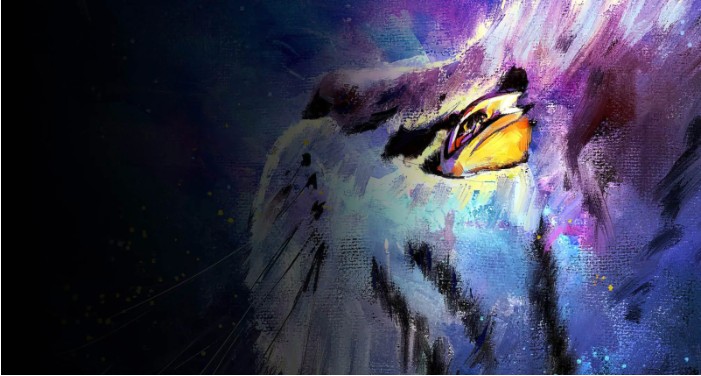
Painting tool settings
Painting tool settings panels let you adjust the size, shape, angle, fluidity, and other properties of painting tools.
Control over the workspace
The workspace can be rotated, panned, zoomed in, and zoomed out quickly and easily. Lighting effects and surface textures can also be applied.
Mix colors
Use the color wheel, blender, color tables, and harmonies to create the perfect color palette.
Image composition tools
Use the golden ratio, layout grid, perspective guides, and mirror painting tools to build up an image.
Unique content
Use papers, color applications, patterns, textures, gradients, and more to enhance your artwork.
Workflow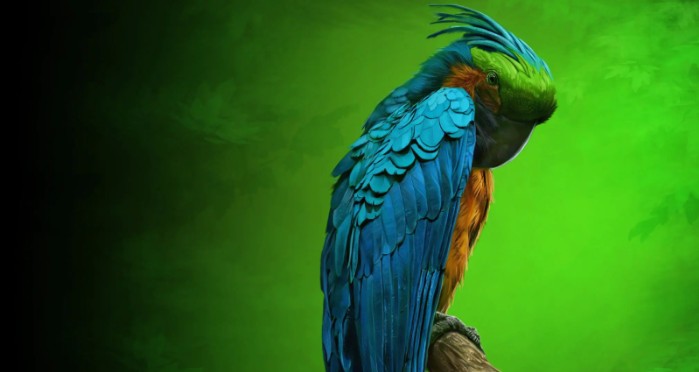
Customizations
You can create your own painting tools, palettes, and workspace arrangements, as well as import custom content from other users.
Performance
The advanced Brush Accelerator™ gets the most out of your computer's hardware and graphics card to give you the best painting experience possible.
Tablet Compatibility
Painter can be used with a wide range of drawing tablets. As you paint, you can control your strokes by pressure, orientation, tilt, and rotation of the pen.
Apple support
Use the trackpad, Sidecar, Apple Pencil tilt, and Core ML to enhance your workflow on the Mac. Painter is optimized to run natively on Macs with the M1 chip.
What's new in Corel Painter 2023?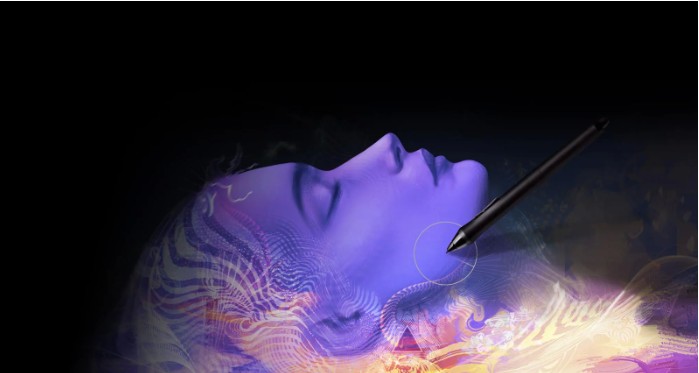
Smooth brush strokes with flowing color.
With the new Flowing Color painting tool category, you can layer, blend, sculpt, and glaze colors, as well as add textures and reflective light. With these versatile painting tools that use layer transparency, you have unprecedented control over the opacity and smoothness of your brush strokes.
Improved selection areas
NEW! Better visualization thanks to the Overlay option
The new Color Overlay option in the Selection tools increases the visibility of selection areas. Overlays are especially useful for complex shapes and transparency, and help you create, edit, and refine selection areas faster.
Enhanced Access to selection controls
The new Selection panel gives you quick access to all controls when creating selection areas, speeding up workflow. A handy slider in the property bar lets you quickly assign a soft border of up to 2000 px to your selection areas.
OPTIMIZED! Work faster with improved selection features
You can now switch between additive and subtractive modes with improved keyboard shortcuts. A selection is automatically applied when a mask is created. Other improvements make working with selection areas faster and more predictable.
Selecting areas based on colors with painting tools
Now you can combine the power of the Magic Wand with the versatility of the Selection painting tool to quickly select areas of an image based on colors. Color selection can be enabled for each selection painting tool to select specific areas on the canvas based on colors. You can then quickly change colors, light settings, and textures in the selected area.
User-requested improvements
Users now benefit from easier image placement and centering when painting, improved responsiveness when using the Magic Wand, Paint Bucket, and Eyedropper tools, easy recall of recently used settings, and precise gradient tools.
Optimized painting experience!
The brush accelerator in Painter continues to deliver top performance! The most commonly used painting tool engines have been optimized to get the most out of your computer. The new fluid colors allow for lightning-fast painting. They use both the CPU and GPU and run up to 50 times faster!
System requirement of Corel Painter 2023
To activate your Windows or Mac product, you must first connect to the Internet and register the product.
Windows
Windows 11, Windows 10* (64-bit) with the latest updates.
Intel or AMD 64-bit multicore processor with SSSE3 (or higher)
4 physical cores/8 logical cores or higher (recommended)
Support for AVX2 instruction set (recommended)
Modern graphics processor compatible with OpenCL (1.2 or higher) (recommended)
8 GB RAM
16 GB RAM or more (recommended)
3.6 GB free hard disk space for application files**.
Solid-state drive (recommended)
Screen resolution of at least 1280 x 800 at 100% resolution
1920 x 1200 or higher (recommended) at 150
Mouse or Wintab-compatible tablet**.
To activate the product, you must first connect to the Internet and register the product.
* Additional memory may be required for Microsoft .NET Framework 4.7.
** Corel Painter supports pen and display tablets from Wacom, Xencelabs, and Huio, as well as other Wintab-compatible tablets.